
But I tell you, if you do not repent, you will all perish as they did!
Luke 13:3
For Tomb Raider III players 🚀
If you came here by accident because you can’t play Tomb Raider III and get the error message “Tomb Raider III CD ?” even if your CD is in the drive, try using this patch. In addition, after applying this patch, you can play the game without any CD by copying the files from the disc to the game folder without overwriting existing ones.
For geeks 👨💻
Inspired by the computer game industry, in which I have recently become involved, I decided to dust off one of the games I used to play and take a closer look at how it is made. My choice fell on Tomb Raider III. Unfortunately, after installing the game, when I tried to run it, I got the following error (with the disc in the drive): “Tomb Raider III CD?”
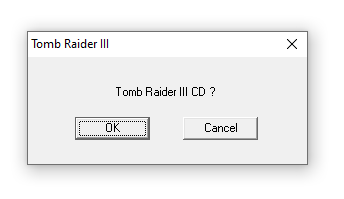
This was interesting because I was almost certain that in the days of Windows 98 SE or Windows ME, TR3 worked correctly… Well, why not look inside and try debugging this problem? In addition, I hadn’t re-engineered anything for ages (is SoftICE still trendy?), so let’s have fun.
I opened Ghidra, created a new project containing tomb3.exe and ran the CodeBrowser. My developer’s intuition suggested that we shouldn’t expect any complex logic behind CD checking. I expected the following behaviour.
if (!isCdInside())
{
  ShowError();
  return;
}Thus, I navigated to Search -> For String…, accepted default settings, and found exactly what I wanted.
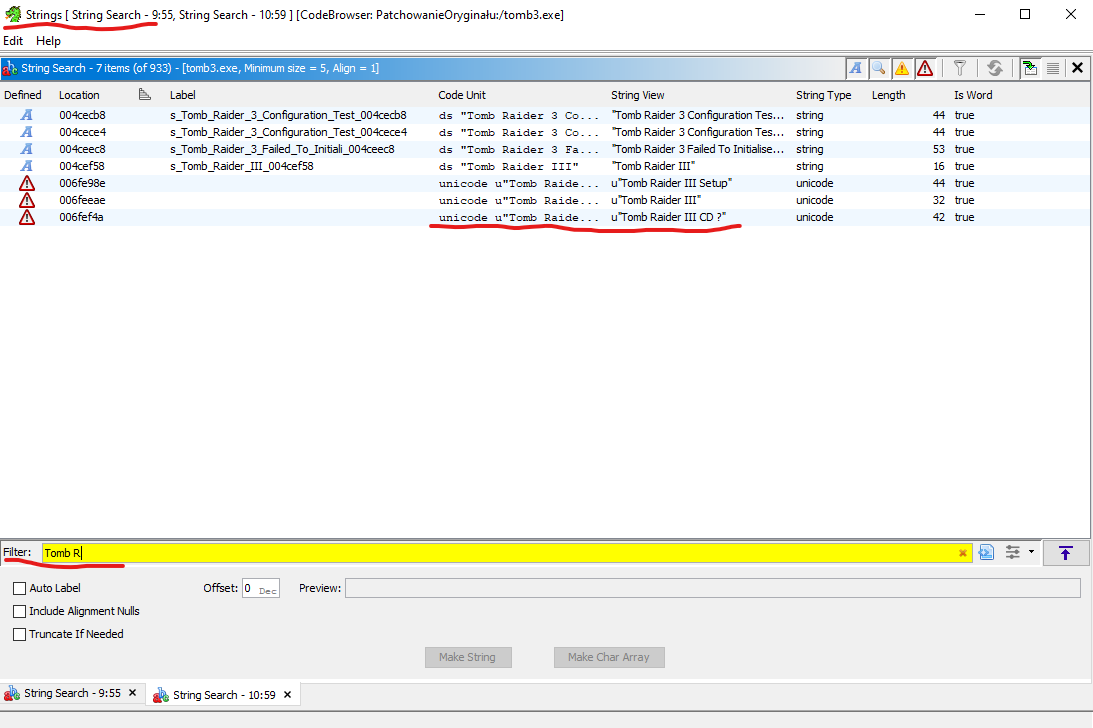
Double-clicking on the string moved me to the resource using our message. Ghidra said that this resource was used only in two places…
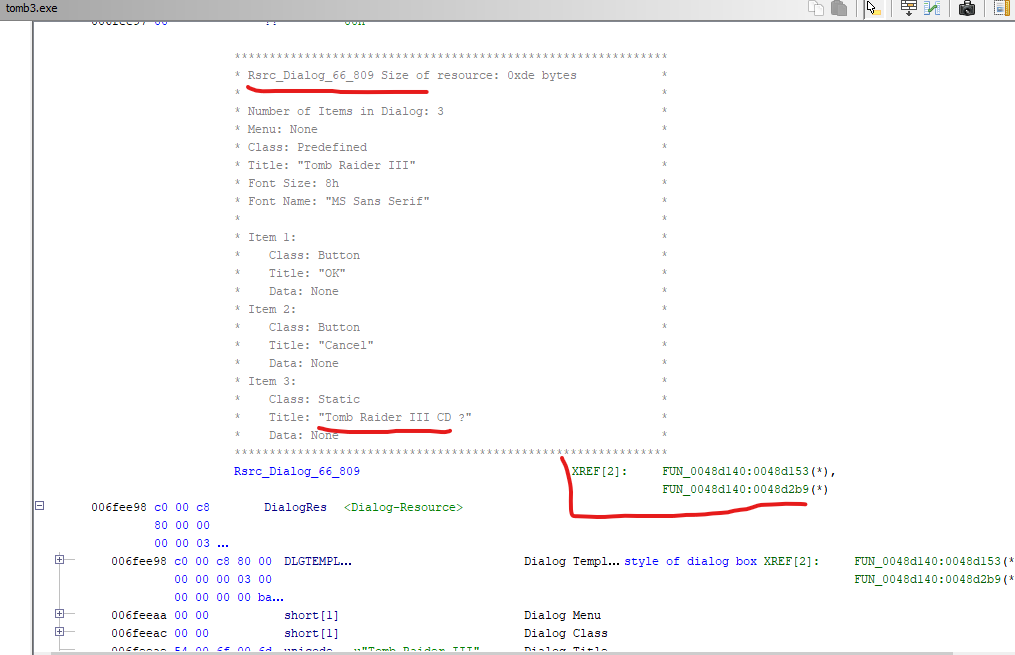
I decided to jump to the first one (0048d153). There was a loop… Was it a loop responsible for showing our error as long as a user chose the “OK” button? Could be, could be…
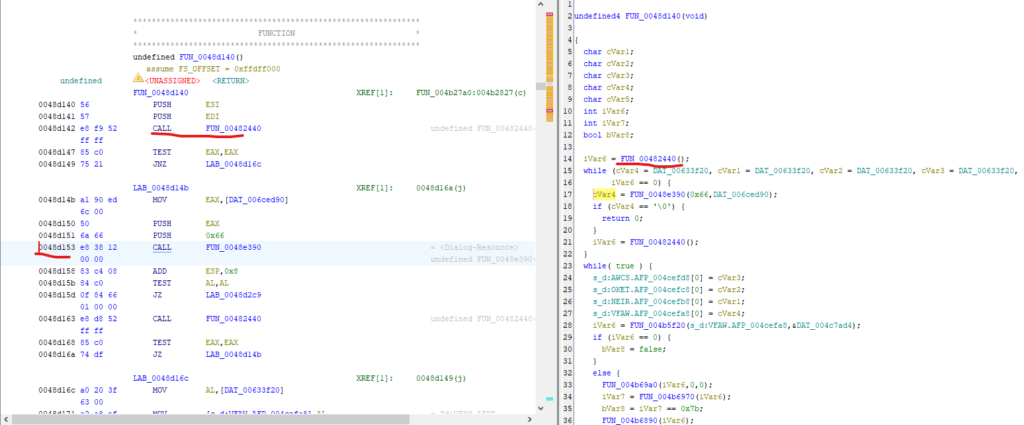
Since I could see no usage of WinAPI functions, I decided to go to the function at 00482440. Bingo! It looked like a function that iterates over all available drives and checks file existence.
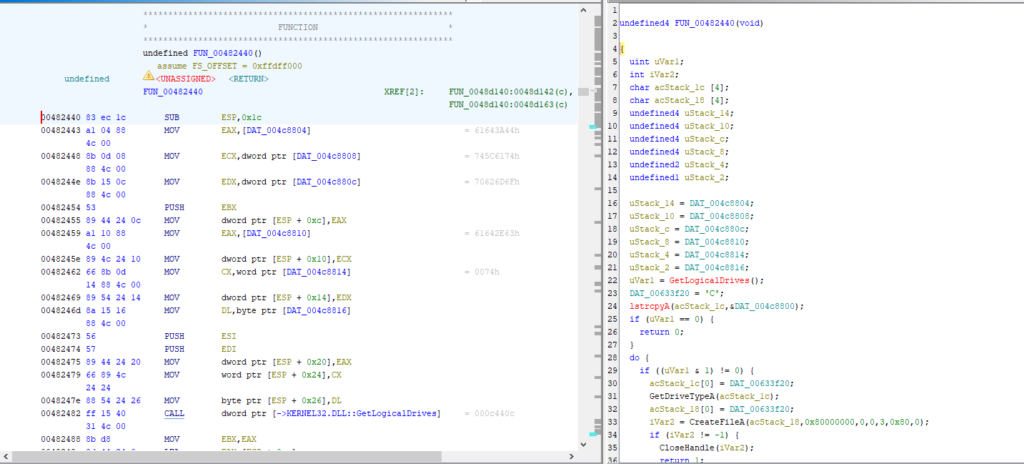
00482440 functionIndeed, the TR3 CD contains tombpc.dat in the Data folder. By the way, note that the 00482440 function uses relative paths ("D:data\\tombpc.dat")that begin with only a disk designator, but not the backslash after the colon. Secondly, although GetDriveTypeA() is called and its result is compared to 5, that fact isn’t used at all…
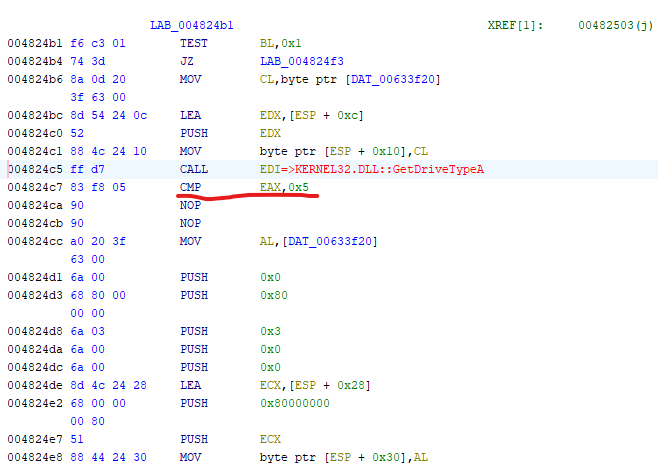
According to the documentation, 5 means CD:
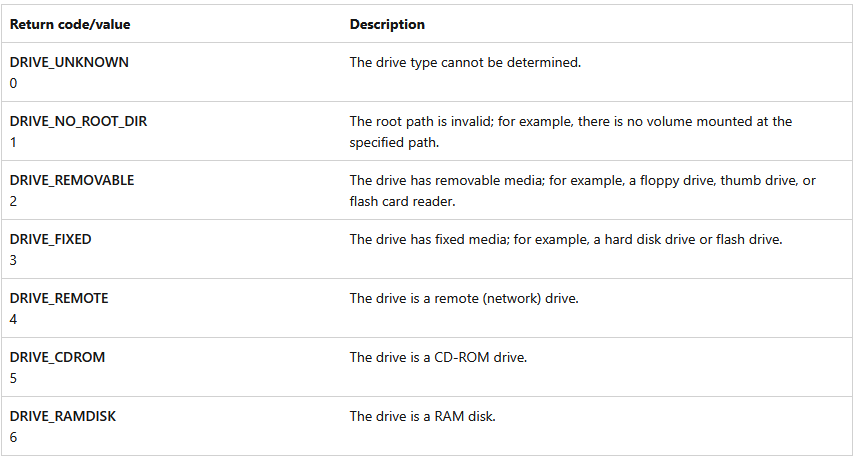
We will utilise these two observations later to run TR3 without any CD :)💪
After I had analysed the 00482440 function, it became clear to me what the problem was. Namely, we were starting the iterations from drive C instead of A for some reason.
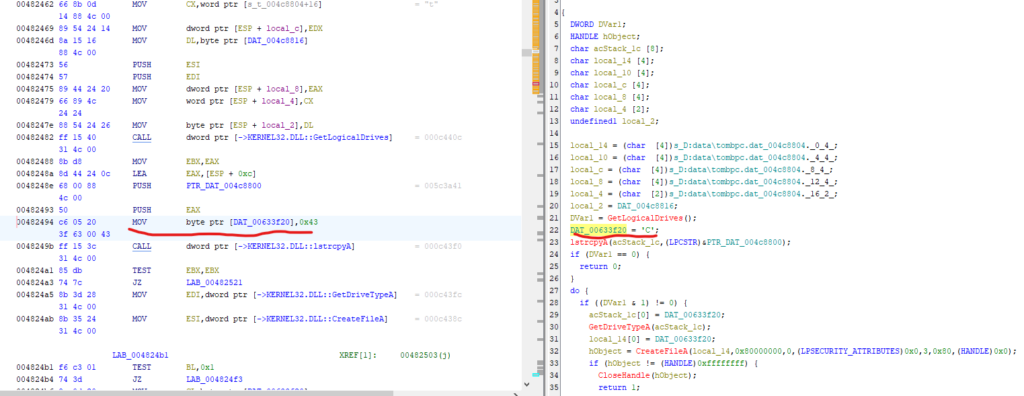
But Ghidra helped – I selected the suspicious line, right-clicked on it and chose Patch Instruction.
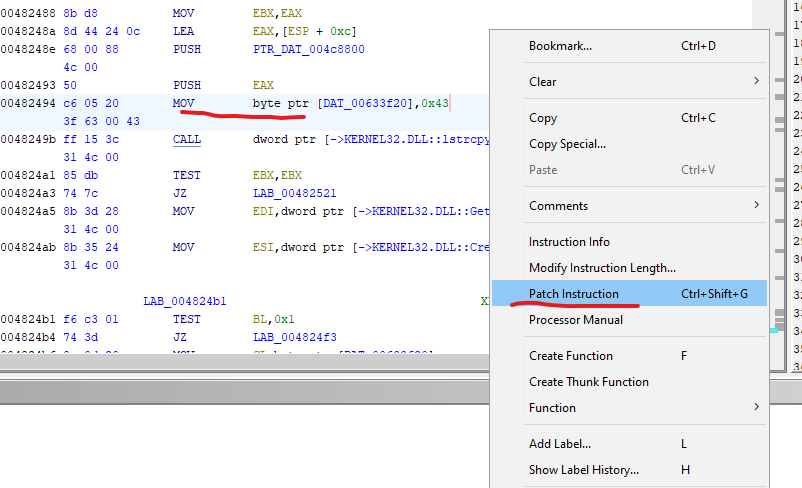
Indeed, the following line allowed me to run Tomb Raider III without any issues 🥹
MOV byte ptr [DAT_00633f20],0x41Moreover, as we noted earlier, since the 00482440 function used relative paths and didn’t care about the drive type, it turned out that it was possible to start the game without a CD. Simply, it was enough to copy all files from the CD to the game folder without overwriting existing ones.
Unfortunately, there is one thing I still don’t understand: why did the game work correctly 20 years ago? Has Microsoft changed the implementation of the GetLogicalDrives() function? Am I missing something here?
For more fun, we could even create a patcher whose main function in C++ could look like this:
bool tryToModifyFile(const string& filename)
{
    fstream file(filename, ios::in | ios::out | ios::binary);

    if (!file)
    {
        cout << "Error: cannot open file " << filename << endl;
        return false;
    }
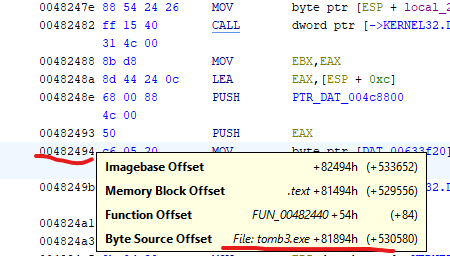
    const streampos currentCdriveOffset = 0x81894 + 0x6;

    file.seekp(currentCdriveOffset);
    if (!file)
    {
        cout << "Error: seek operation failed. Did you type the correct path?" << endl;
        return false;
    }

    const char aDrive = 'A';
    file.write(&aDrive, 1);

    if (!file)
    {
        cout << "Error: write operation failed." << endl;
        return false;
    }

    file.close();
    return true;
}As always, Ghidra is helpful to get the correct instruction offset.
Cheers!