
But it shall not be so among you. Rather, whoever wishes to be great among you shall be your servant; whoever wishes to be first among you shall be your slave. Just so, the Son of Man did not come to be served but to serve and to give his life as a ransom for many.
Matthew 20:26-28
Plan
Playing the game the way the creators intended it to be can be boring… What if we gave our character a cool weapon without having to search for it throughout the game? Let’s get a Desert Eagle loaded with ammo. To achieve this, we’ll attempt to execute the original TR3 code that grants us a weapon. Additionally, we’ll increase the variable storing the number of ammo and run our code using DLL injection.
Attack
Unfortunately, reverse engineering game code (and any other apps, frankly speaking) is time-consuming and requires creativity, so I’ll just provide a few ideas on how you could approach similar cases without describing the details of how I managed to do it in Tomb Raider III and Tomb Raider I-III Remastered. First, try to locate the memory variable that stores ammo—the code related to weapon handling might be somewhere near the code that handles its ammo. Second, knowing that the game has built-in cheats that can grant us all weapons with unlimited ammo, you can try to directly track down the functions in the decompiled code that insert numbers into specific memory locations, e.g., those related to unlimited ammo. The first idea can be implemented using a tool like Cheat Engine, while the second one can be achieved using a decompiler like Ghidra.
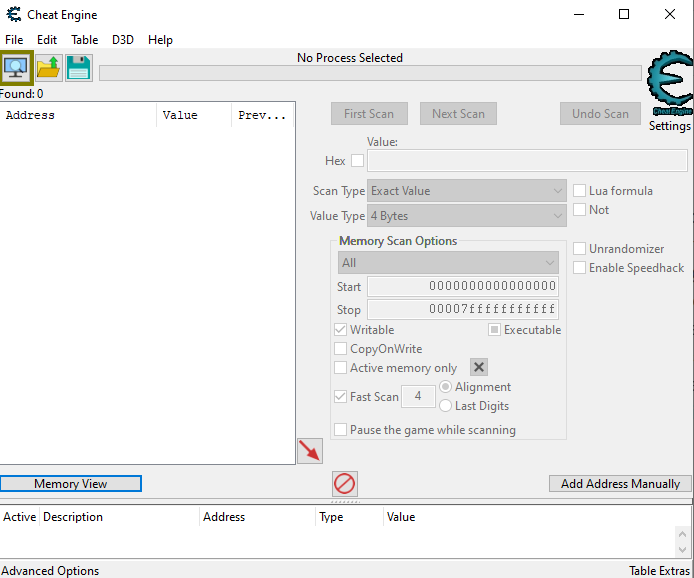
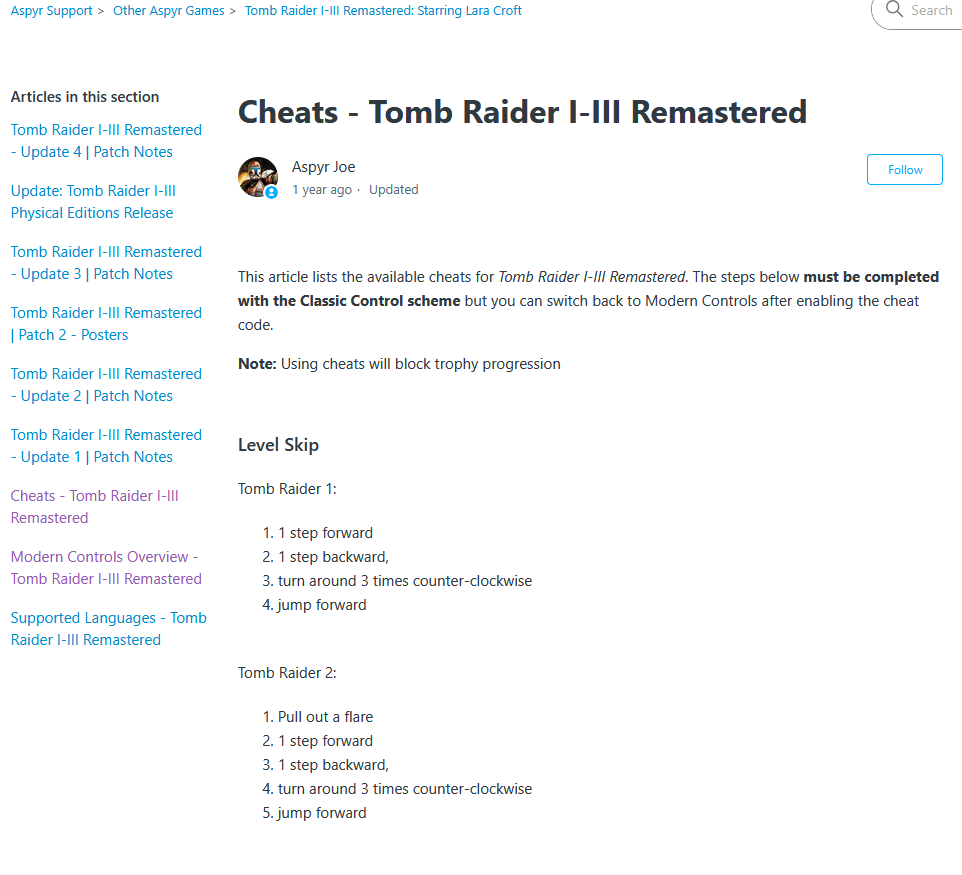
The picture below shows the second idea, i.e. the code which is executed after triggering the unlimited ammo/all guns cheat in TR III Remastered (tomb3.dll).
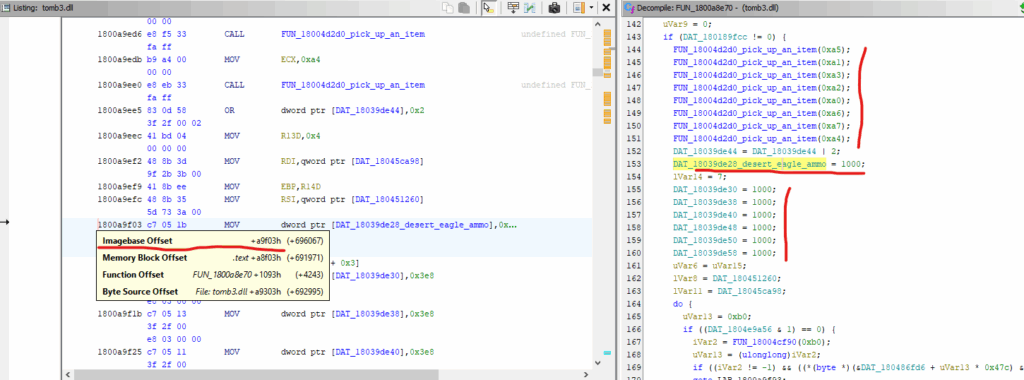
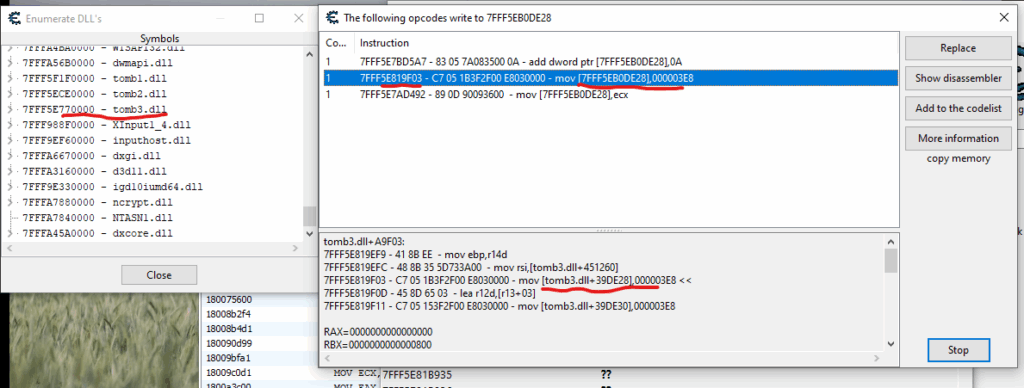
Note that in this case, unlimited ammo means 1000 (0x3e8) rounds for each weapon type. Furthermore, note that before assigning the number 1000 (0x3e8) to the variables storing the ammo count, code is run that “picks up” the various weapons. The same observation using Cheat Engine:
Implementation
Assuming we know where the Desert Eagle ammo count is stored and how to “force” the weapon to be picked up, we can proceed to implement our trick. So, our 64-bit DLL (TR I-III Remastered is a 64-bit app) might look like this:
// DesertEagleLoader.dll
#include <windows.h>
#include "pch.h"
using namespace std;

typedef void (*PickUpAnItemPointer)(int);

void WriteWord(uintptr_t address, WORD value)
{
    *(WORD*)address = value;
}

DWORD WINAPI MainThread(LPVOID lpParam)
{
    HMODULE tomb3dll = GetModuleHandleA("tomb3.dll");
    uintptr_t targetAddress = (uintptr_t)tomb3dll + 0x4d2d0;
    PickUpAnItemPointer func = (PickUpAnItemPointer)targetAddress;
    func(0xbb);
    WriteWord((uintptr_t)tomb3dll + 0x39de28, 0xffff);

    return 0;
}

BOOL APIENTRY DllMain( HMODULE hModule, DWORD ul_reason_for_call,
    LPVOID lpReserved)
{
    switch (ul_reason_for_call)
    {
        case DLL_PROCESS_ATTACH:
            DisableThreadLibraryCalls(hModule);
            CreateThread(nullptr, 0, MainThread, nullptr, 0, nullptr);
            break;
    }
    return TRUE;
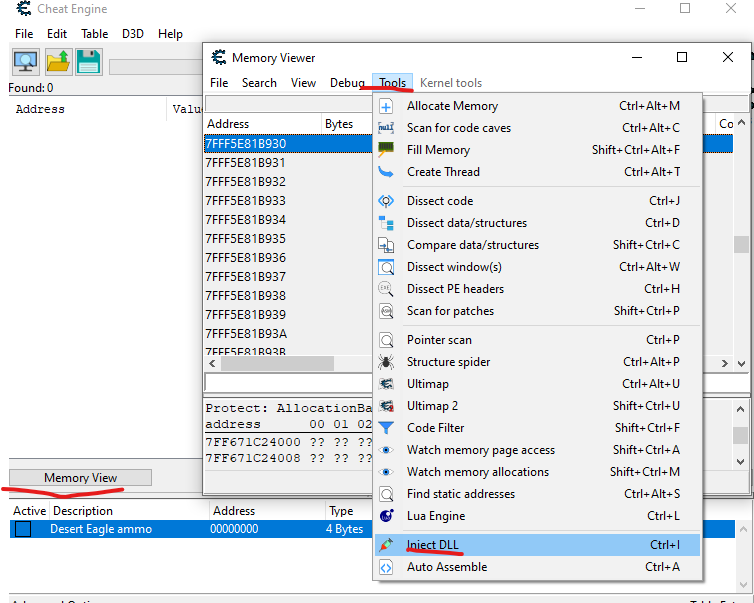
}Note that we’ve already seen the offsets 0x39de28 (ammo) and 0x4d2d0 (the “pick up an item” function) in the previous pictures. 0xbb means Desert Eagle, while 0xffff is our implementation of unlimited ammo 😁 Keep in mind that the above code doesn’t have any error handling and assumes tomb3.dll is already loaded and we’re now playing TR III Remastered. Regarding testing, we have two options: we can use Cheat Engine to inject our DLL or write our own injector. As for Cheat Engine, attach to tomb123.exe, then click the Memory View button, and select Tools -> Inject DLL.
As for our own DLL injector, here is a simple version. It can be used to inject DLLs for 32-bit and 64-bit processes – everything depends on how you compile this code.
#include <windows.h>
#include <tlhelp32.h>
#include <iostream>
using namespace std;

DWORD GetProcessIdByName(const wchar_t* processName)
{
    DWORD pid = 0;
    HANDLE hSnapshot = CreateToolhelp32Snapshot(TH32CS_SNAPPROCESS, 0);
    PROCESSENTRY32W entry = { sizeof(entry) };

    if (Process32FirstW(hSnapshot, &entry))
    {
        do
        {
            if (_wcsicmp(entry.szExeFile, processName) == 0)
            {
                pid = entry.th32ProcessID;
                break;
            }
        } while (Process32NextW(hSnapshot, &entry));
    }
    CloseHandle(hSnapshot);
    return pid;
}

bool InjectDLL(DWORD pid, const char* dllPath)
{
    HANDLE hProcess = OpenProcess(PROCESS_ALL_ACCESS, FALSE, pid);
    if (!hProcess)
        return false;

    void* allocMem = VirtualAllocEx(hProcess, nullptr, strlen(dllPath) + 1,
        MEM_COMMIT | MEM_RESERVE, PAGE_READWRITE);
    if (!allocMem)
        return false;

    WriteProcessMemory(hProcess, allocMem, dllPath, strlen(dllPath) + 1, nullptr);

    HMODULE hKernel32 = GetModuleHandleA("kernel32.dll");
    FARPROC loadLibAddr = GetProcAddress(hKernel32, "LoadLibraryA");

    HANDLE hThread = CreateRemoteThread(hProcess, nullptr, 0,
        (LPTHREAD_START_ROUTINE)loadLibAddr, allocMem, 0, nullptr);

    if (!hThread)
        return false;

    WaitForSingleObject(hThread, INFINITE);
    CloseHandle(hThread);
    CloseHandle(hProcess);

    return true;
}

int main()
{
    const wchar_t* processName = L"tomb123.exe";
    // Path to your 64-bit dll
    const char* dllPath = "Desert Eagle Loader.dll";

    DWORD pid = GetProcessIdByName(processName);
    if (!pid)
    {
        cout << "Game not running!" << endl;
        return 1;
    }

    if (InjectDLL(pid, dllPath))
        cout << "DLL injected successfully!" << endl;
    else
        cout << "DLL injection failed." << endl;

    return 0;
}And here’s proof that everything works:
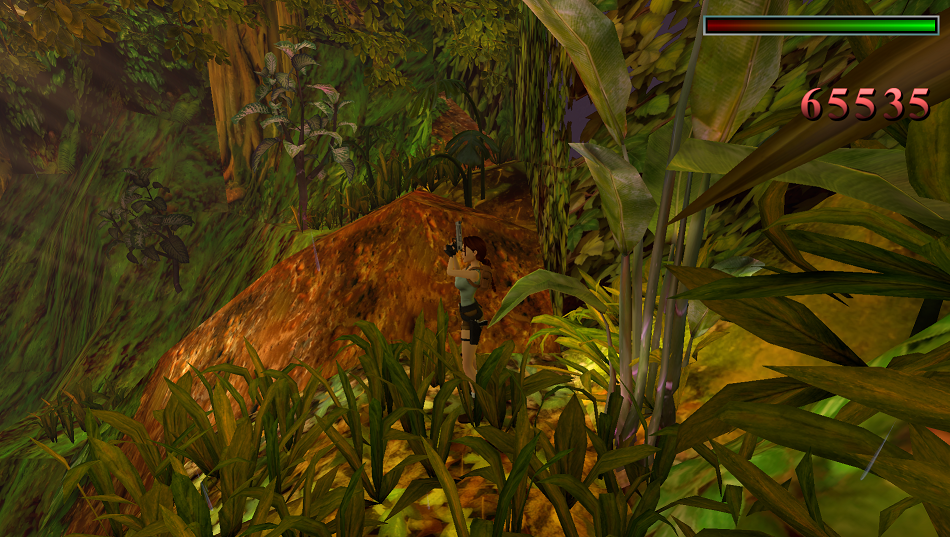
Naturally, the same technique and analysis can be applied to the original version of Tomb Raider III from 1998. What’s more, TR III is even a bit easier to analyse, because unlike TR I-III, it is not divided into tomb123.exe, tomb1.dll, tomb2.dll and tomb3.dll – we just need to look at the tomb3.exe binary. Below is the code of the 32-bit DLL for TR III:
#include <windows.h>
#include "pch.h"
using namespace std;

typedef void (cdecl* PickUpAnItemPointer)(int);

void WriteWord(int address, WORD value)
{
    *(WORD*)address = value;
}

DWORD WINAPI MainThread(LPVOID lpParam)
{
    PickUpAnItemPointer func = (PickUpAnItemPointer)0x00437910;
    func(0xbb);
    WriteWord(0x006D624A, 0xffff);

    return 0;
}

BOOL APIENTRY DllMain( HMODULE hModule, DWORD ul_reason_for_call,
    LPVOID lpReserved)
{
    switch (ul_reason_for_call)
    {
        case DLL_PROCESS_ATTACH:
            DisableThreadLibraryCalls(hModule);
            CreateThread(nullptr, 0, MainThread, nullptr, 0, nullptr);
            break;
    }
    return TRUE;
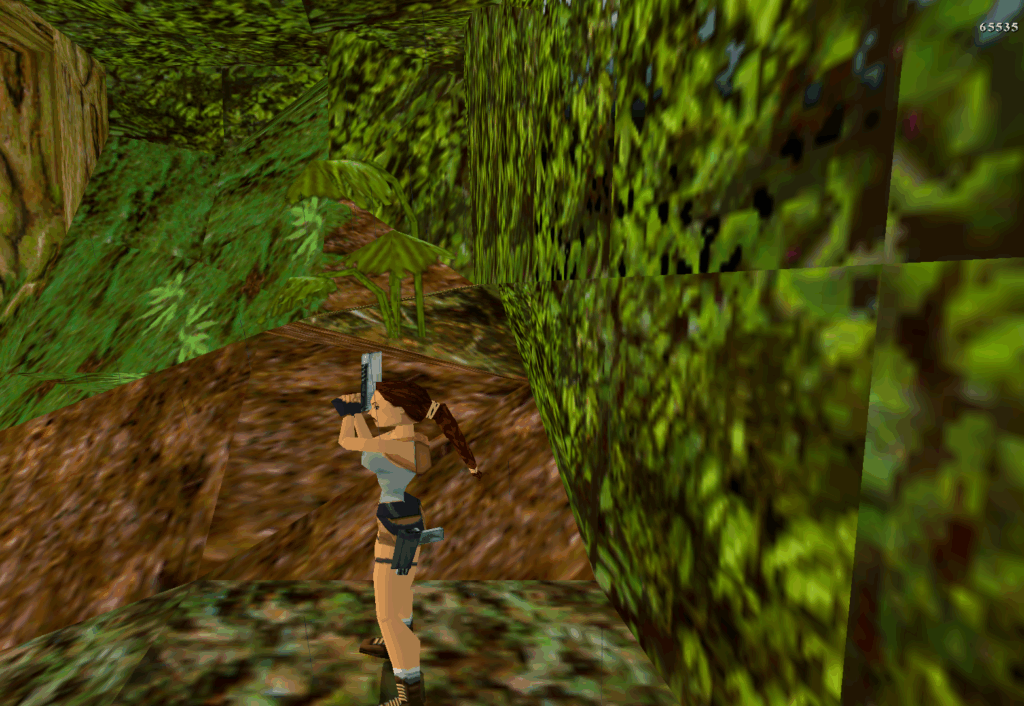
}Proof:
By the way
While analysing TR3 from 1998, I noticed that health points are stored in the location pointed to by the pointer at address 0x6d6284 shifted by offset 0x22. Since accessing a process’s memory in Windows only requires its handle, it’s quite simple to write an application that reads the current health points and increases them to the maximum value, i.e. 0x7fff.
Code:
using System.Diagnostics;
using System.Runtime.InteropServices;

namespace WriteMemoryApp
{
    internal class Program
    {
        private const int PROCESS_VM_OPERATION = 0x0008;
        private const int PROCESS_VM_WRITE = 0x0020;
        private const int PROCESS_VM_READ = 0x0010;
        private const int PROCESS_QUERY_INFORMATION = 0x0400;

        static void Main(string[] args)
        {
            const string tombRaiderThreeProcessName = "tomb3";
            const int pointerToLarasInfo = 0x6d6284;
            const int offsetToHealthPoints = 0x22;

            Process[] candidates = Process.GetProcessesByName(tombRaiderThreeProcessName);
            if (candidates.Length == 0)
            {
                Console.WriteLine($"Process \"{tombRaiderThreeProcessName}\" not found.");
                return;
            }

            Process target = candidates[0];
            IntPtr hProc = OpenProcess(PROCESS_VM_OPERATION | PROCESS_VM_WRITE | PROCESS_VM_READ | PROCESS_QUERY_INFORMATION,
                false, target.Id);

            if (hProc == IntPtr.Zero)
            {
                Console.WriteLine("OpenProcess failed (try running as Administrator).");
                return;
            }

            int pointerValue = ReadInt32(hProc, pointerToLarasInfo) + offsetToHealthPoints;
            Console.WriteLine($"Lara's health points can be found at 0x{pointerValue:X}.");

            short healthPoints = ReadInt16(hProc, pointerValue);
            Console.WriteLine($"Current heatlh points {healthPoints} (0x{healthPoints:X}).");

            WriteInt16(hProc, pointerValue, 0x7fff);
            CloseHandle(hProc);

            Console.WriteLine("Lara's health points set to 32767 (0x7FFF).");
            Console.WriteLine("Press any key to exit...");
            Console.ReadKey();
        }

        private static short ReadInt16(IntPtr hProcess, int address)
        {
            return (short)ReadInt(hProcess, address, 2);
        }

        private static int ReadInt32(IntPtr hProcess, int address)
        {
            return ReadInt(hProcess, address, 4);
        }

        private static int ReadInt(IntPtr hProcess, int address, int numberOfBytes)
        {
            byte[] buffer = new byte[numberOfBytes];
            bool isOK = ReadProcessMemory(hProcess, address, buffer,
                buffer.Length, out nint bytesRead);

            if (!isOK || bytesRead.ToInt32() != buffer.Length)
                throw new Exception("ReadProcessMemory failed.");

            if (numberOfBytes == 4)
                return BitConverter.ToInt32(buffer, 0);
            if (numberOfBytes == 2)
                return BitConverter.ToInt16(buffer, 0);

            throw new ArgumentException("Unsupported size for reading integer value.");
        }

        private static void WriteInt16(IntPtr hProcess, int address, short value)
        {
            byte[] buffer = new byte[2];
            BitConverter.GetBytes(value).CopyTo(buffer, 0);

            bool isOk = WriteProcessMemory(hProcess, address, buffer,
                buffer.Length, out nint bytesWritten);

            if (!isOk || bytesWritten.ToInt32() != buffer.Length)
                throw new Exception("WriteProcessMemory failed.");
        }

        [DllImport("kernel32.dll", SetLastError = true)]
        private static extern IntPtr OpenProcess(int dwDesiredAccess,
            bool bInheritHandle, int dwProcessId);

        [DllImport("kernel32.dll", SetLastError = true)]
        private static extern bool WriteProcessMemory(IntPtr hProcess, IntPtr lpBaseAddress,
            byte[] lpBuffer, int nSize, out IntPtr lpNumberOfBytesWritten);

        [DllImport("kernel32.dll", SetLastError = true)]
        private static extern bool CloseHandle(IntPtr hObject);

        [DllImport("kernel32.dll", SetLastError = true)]
        private static extern bool ReadProcessMemory(IntPtr hProcess,IntPtr lpBaseAddress,
            [Out] byte[] lpBuffer, int dwSize, out IntPtr lpNumberOfBytesRead);
    }
}Proof:
Bonus for players
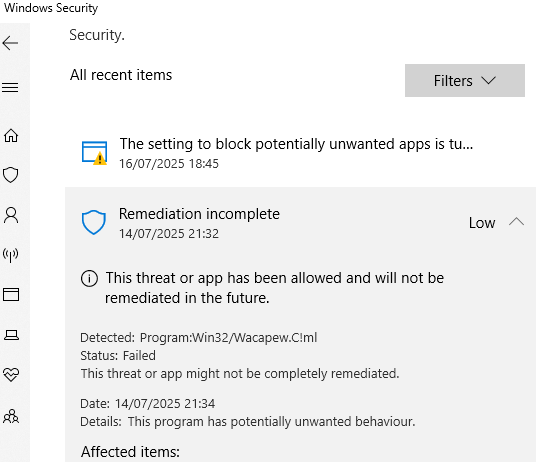
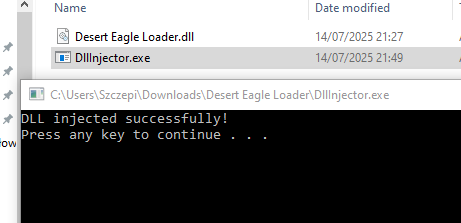
Here are the compressed DLL and DLL injector to use when playing Tomb Raider III Remastered. Once you inject the DLL, press D to obtain the Desert Eagle with ammo. Although it’s possible to inject this DLL using any tool such as Cheat Engine, I compressed them together just for your convenience. When I was working on the injector, I noted that Windows Security thought it might be infected, so if you are afraid, just use any other tool.
To use my compressed package, simply run TR3 Remastered and double-click DllInjector.exe. If all goes well, after loading any level and pressing the d key, the weapon should be available.
Have fun!